Sixth graders in Ms. Nasser's enrichment classes at Howe Manning Elementary School are taking the lead as writers, hosts, editors, and producers of an exciting new student-led podcast - "Howe We Talk". This collaborative project empowers students to explore topics that matter to them—from school events and local news to interviews with teachers, peers and community members—while building real-world skills in research, storytelling, technology, and communication. Using podcast equipment that was generously donated by a PTO grant, along with learning about editing tools, students script episodes, record conversations, add music and sound effects, and publish their final product for the school community to enjoy. The podcast gives students a voice, fosters teamwork, and brings fresh energy to school storytelling.
Our first podcasts "Kid Slang" and "Advice for Life" have been published to Spotify for Podcasters. We are in the middle of our next two episodes, "Haunted Middleton" and "Winsor Manor". Follow us "HoweManningPodcasters" and "Howe We Talk".
A big THANK YOU to our Middleton PTO for providing a grant for podcast equipment. We are truly grateful!
I had the opportunity to work with our 6th grade students in the ELA classes at Howe Manning to show them how to create projects in the educational technology program Canva. Their task was to research their favorite charity and create a PSA to share with their classmates for their Persuasive In an inspiring display of creativity and compassion, sixth-grade students have harnessed the power of Canva to craft compelling PSA videos aimed at supporting a chosen charity. With enthusiasm and determination, these young minds utilized the user-friendly design platform to convey heartfelt messages and raise awareness for their cause. Motivated by a desire to make a difference, the students dedicated their time and effort researching information then created impactful videos to compel others to contribute directly to the charity through donations, showcasing their commitment to philanthropy and community service.
Check out some of the videos.
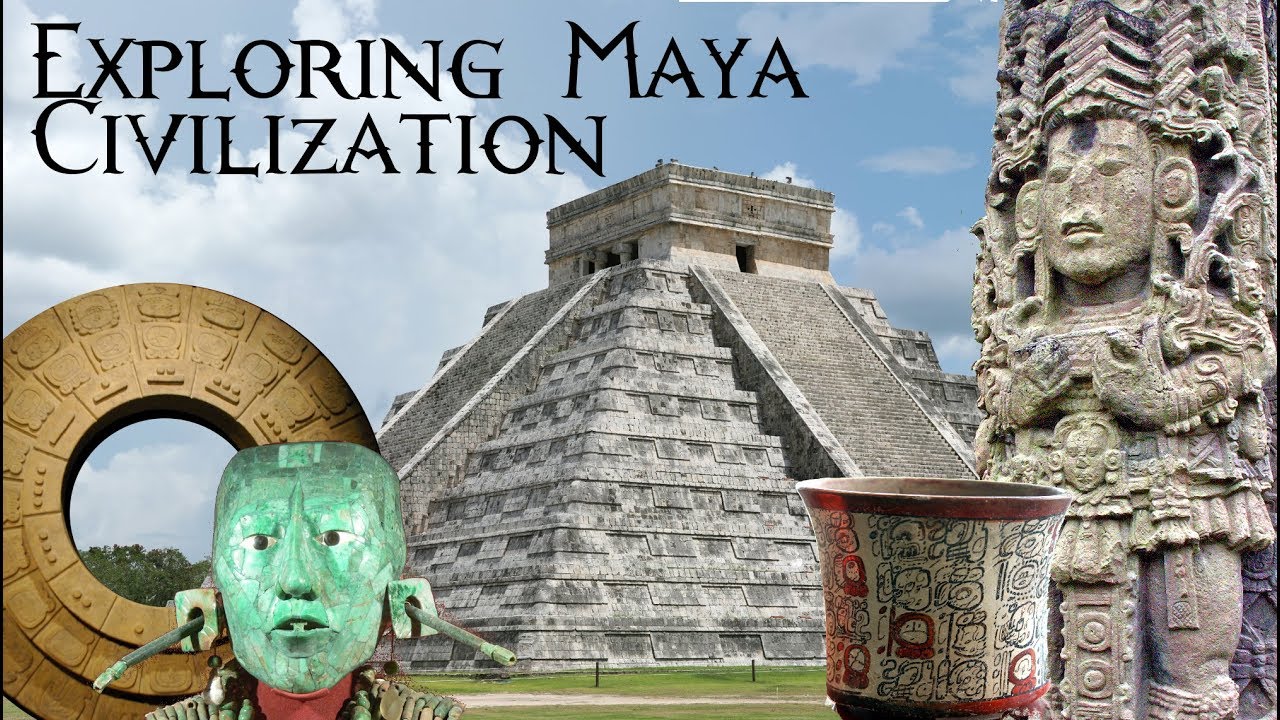
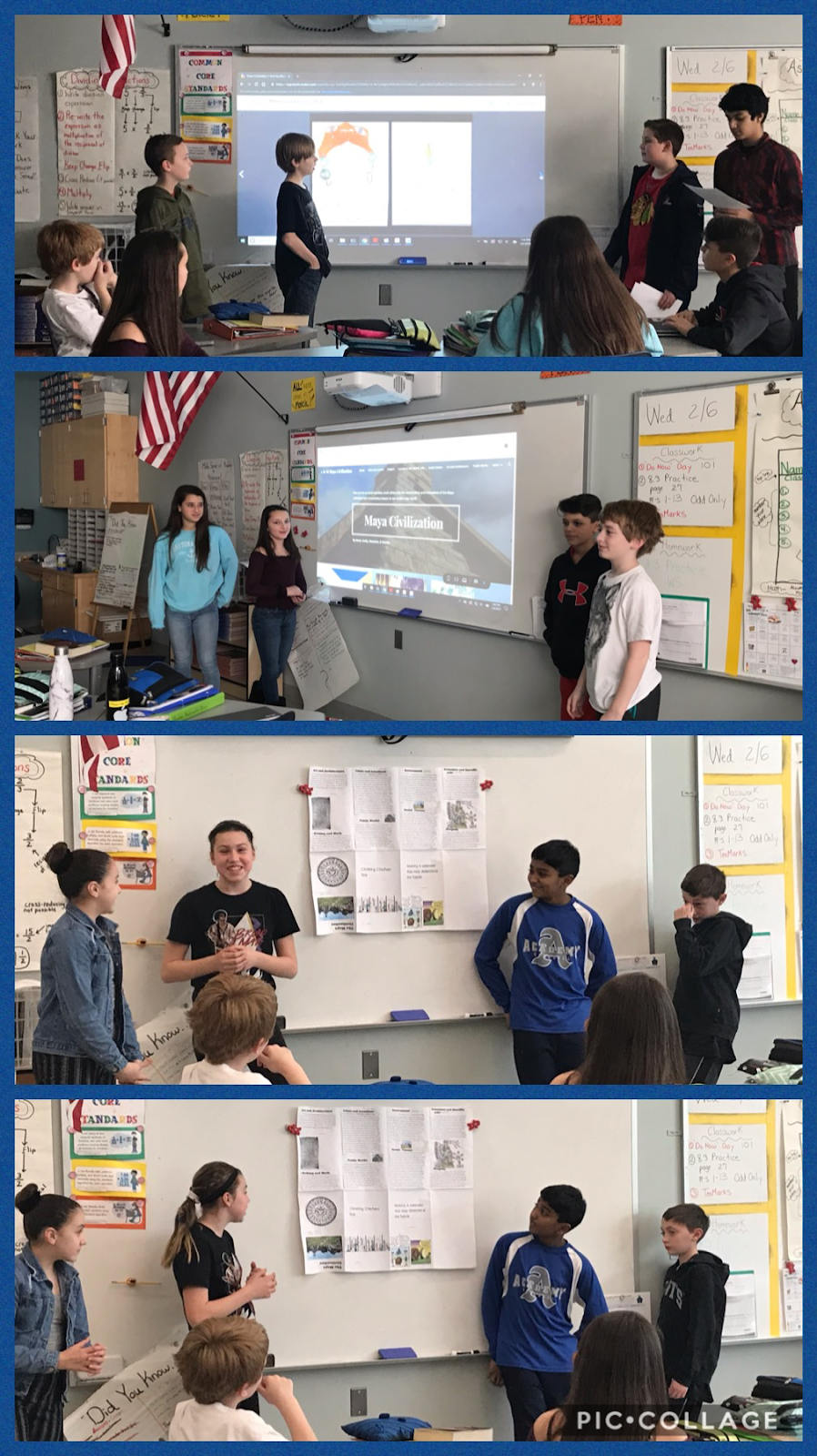
Sixth grade students at Howe Manning School have been very busy learning about the Maya Civilization in Social Studies. The teachers, Mrs. Butler and Ms. Magrath worked closely with Curriculum Coordinator Melissa Bettencourt and Digital Learning Specialist Dierdre Baker to develop a PBL lesson. PBL stands for Project Based Learning.
Project-Based Learning
(PBL) is an
instructional methodology that encourages students to learn and apply knowledge
and skills through an engaging experience. PBL presents opportunities for
deeper learning in-context and for the development of important skills tied to
college and career readiness. (Source)
Mesoamerican Challenge- Discovering the Ancient Civilization of the Maya
Driving Question: How can we, as social scientists, teach others that the contributions and innovations of the Maya civilization had a tremendous impact on our modern day world?
Design Scenario: You and your classmates are social scientists and you have discovered that the modern day descendants of the Maya face great challenges. Maya culture made many important contributions to modern civilization today.
Many people feel that learning about ancient civilization is irrelevant to today’s digital life. Many people do not understand how advanced a civilization the Maya were. It is going to be your team’s job to become experts on all aspects of the Maya civilization and how their culture influenced or still influences our culture today.
You will be put into teams to work together to discover evidence of this ancient civilization. Your goal is to become an expert on the amazing Maya Culture. In addition to researching 8 aspects of the civilization, your team will then need to choose a contribution of the Maya that has had an impact on our modern civilization. Then explain to your audience what life would be like without this contribution.
Your motivation is to preserve and promote the Maya civilization. Teachers gave many mini-lessons with videos, readings and information for Maya Civilization.
Discovery requirements: Your team will be divided so that each member becomes an expert in 2 areas of Maya civilization.
Evidence of Civilization:
Cities and locations
Religion
Economics and Specific jobs
Social Classes
Government
Writing
Art & Architecture
Public Works
Project Options Include:
Your team will need to create a public service announcement that informs people about the importance of the Maya civilization and their contributions. You need to be persuasive.
You can choose between: Create a PSA informational video Publishing a PSA booklet Create a website that teaches people about the Maya civilization. Create a picture book highlighting the 8 aspects of the Maya civilization. Create a news program or newspaper to inform others about the Maya civilization. Create a comic strip with Storyboard That. Movie/FlipGrid Create a travel brochure
Presentations:
1. Peer Review - your work will be reviewed by another classmate to get feedback.
2. Expert Panel - you and your group will present to a panel of experts from our school community. They
will provide feedback to you.
Expert Panel
3. At the end of the project, your team will share your completed project with the class.
We will publish our completed project so that people can understand the ancient Maya civilization and the
impact it still has today.
Click below for student projects:
Presentation to Middleton School Committee
Students and teachers presented to our School Committee
This week, most of our 6th grade students are on a 3-day overnight field trip to Nature's Classroom in New Hampshire. Those of us who stayed at school had an adventure all the way to Alberta, Canada.
No, we didn't actually go to Alberta, but we did the next best thing! We had a Mystery Google Hangout with a class to discuss the Global Read Aloud book, Fish in a Tree.
In a Mystery Google Hangout/Skype students spend the first portion of the session trying to figure out where the other class is from. Students must ask Yes or No questions similar to the game "20 questions".
At first, we begin with a map of the world, divide up each hemisphere and begin asking questions to get closer to the location. After each question, the student will color (with an Expo marker) out the area that the other class is NOT in. This helps them to narrow down the search. Each class takes turns until both classes guess where the other class is from.
Once students have figured out where our new friends are from, they participated in a discussion about the book. There were some great text-to-self connections which made us realize how similar we all are.
After the session, our 6th graders made a digital project using the app "Chatterpix" to make a self portrait and tell what we're good at. Then, they made a movie trailer using the app "iMovie" for another Global Read Aloud book for our Kindergarten students based on the book "Exclamation Mark". It was certainly a fun day!
The 6th Graders have been given the challenge to become News Reporters who cover Southwest Asia. They will conduct research on the Five Themes of Geography for their "adopted" country.
Essential Question: What are the five themes of geography for Middle Eastern countries?
GOOD MORNING SOUTHWEST ASIA!
You
and your team are reporters! Your will
be reporting on the news show: “Good
Morning Southwest Asia!” You and your team will be responsible for
highlighting the key information about a country in southwest Asia using what
you know about the five themes of geography.
There are a lot of steps in creating a news show. Your final product will be presented on a
green screen similar to those seen on television.
Each
news show topic should have a catchy name.
Each news show topic should include information about the Location of the country first. Make sure you include the relative location
of the country as well as the absolute location of the country’s capital. In addition, you will describe what the
country is like using the theme of Place. You will describe what Regions exist in the country.
These could be physical regions (mountains, valleys etc.,) or political/
ethnic regions. Describe how ideas from
your country have spread around the world or how people and goods get
transported through the theme of Movement.
Finally, you will need to find information about how people in the country have
affected the environment either in a positive or negative way in the theme of Human Environment Interaction.
Each reporter will have the responsibility to gather information about
the themes. Each reporter will be
reporting out his/her information in front of the green screen. We hope your news show wins an Emmy!
Beginning the process
Students were
asked to make connections to Southwest Asia with an anticipation guide.
This included true/false questions to access previous knowledge and to
elicit excitement for the project. Mrs. Bentley and Mrs. Baker are working
together to have students turn their research into a digital project.
Examples of news stories and projects made using the app Green Screen by
Do Ink were shown to students to give them some ideas.
The process
Students were grouped together in teams of
four to research, write, and present information for their country.
Through a lottery system, each team got to choose the country that they
wanted to research. They were given guiding questions and recorded their
information on double column notes. They typed their final copy and then
turned this information into a script. They used this script to report
about their country.
Countries in Southwest Asia
Armeniam, Azerbaijan, Bahrain, Egypt,
Georgia, Iran, Iraz, Israel, Jordan, Kuwait, Lebanon, Oman, Qatar, Saudi
Arabia, Syria, Turkey, Turkmenistan, United Arab Emirates, Yemen.
Technology Integration
Students conducted research for the five themes of geography of their country by using the website, http://www.countryreports.org/. They were given graphic organizer sheets, a template for their writing, and a rubric which with be used for assessment. Student groups then worked on their "news
broadcast" and chose the format and order in which they were going to
present their information. The used their creativity, public speaking and
collaboration skills to help each other with their lines, scripts, and even
their props.
Students learned how to
use several iPad apps to create their news broadcast.
Pic Collage
PicCollageis used to make a single page flyer including
pictures and text. Mrs. Baker taught the entire class how to use the appPicCollageand each student made their own
collage. Then each group made aPicCollagefor the introduction and ending for
their project.
Green Screen by Do Ink
Green Screen by Do Inkprovides students with the opportunity to
create a news broadcast video with images of their topics behind them.
Students wrote their part of the script, chose the picture(s) for their
topic, and inserted them into the app program.
iMovie
After thePicCollageswere made, videos were shot, and
pictures were placed inGreen
Screen,we imported them into
theiMovieapp.Here are our projects.
Students had the chance to research current events happening around the world and present them.
Massachusetts Standards for Grade 6 Social Studies and Writing
Western Asia (The Middle
East)
WA.1 and WA. 2 Locate
the Middle Eastern countries on a world map.
WA. 3Explain
how the five themes of geography and how they have influenced settlement and
the economies of major Middle Eastern countries.
W. 6.6 Use technology, including the Internet, to produce and
publish writing as well as to interact and collaborate with others.
SL.
6.5 Include multimedia components (e.g.,
graphics, images, music, sound) and visual displays in presentations to clarify
information.
The 6th Grade students and parents at Howe Manning are all using Edmodo to collaborate in their classrooms.
"Edmodo is an educational website that takes the ideas of a social network and refines them and makes it appropriate for a classroom. Using Edmodo, students and teachers can reach out to one another and connect by sharing ideas, problems, and helpful tips. A teacher can assign and grade work on Edmodo; students can get help from the entire class on Edmodo. It is a safe environment. There is no bullying or inappropriate content, because the teacher can see everything that is posted on Edmodo. Also parents can join the class to bring a level of transparency that is difficult to achieve without technology. All in all Edmodo is a great companion to just about any class." ~ Patrick Cauley
Mrs. Pazdziorny and Mrs. Baker co-teach the Edmodo program to the 6th Grade students.
.
Students have learned how to link documents and videos to their accounts. Their first mission was to find a fun science experiment to show to their class. Our favorite videos are made by "Steve Spangler Science". We are all watching an experiment on chemical reactions as he made Elephant Toothpaste, and then students posted their reactions to each other on Edmodo.
In Mrs. Bentley's World Cultures class, 6th grade students used Edmodo to assist in their research for the "Five Themes of Geography". Students used the Backpack feature to store their writing and maps.
Edmodo on the Road
Mrs. Baker had the opportunity to visit a classroom in Marlow, NH. The principal, Walter Huston, asked Mrs. Baker to assist his 5/6th grade students and teacher in setting up Edmodo. The students and teacher worked very hard to set up their accounts. They absolutely love the program and are using it on a daily basis.