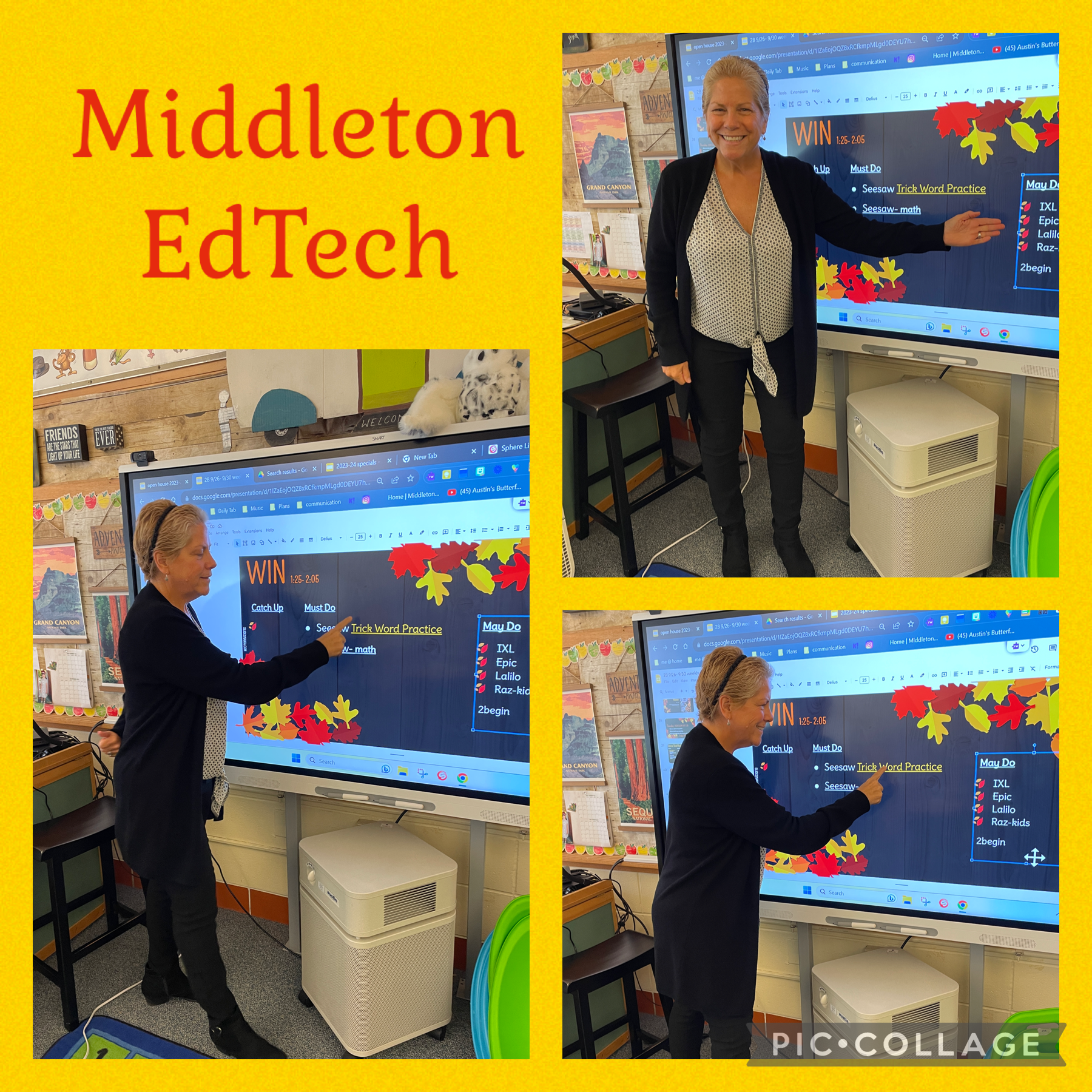
Students at Howe Manning School are in full swing with their digital devices and educational technology. We have mastered logging into our Google accounts, accessing our digital programs in Clever, and used these programs to enhance our lessons.
All Howe Manning students were introduced to the typing program "Typetastic." We are finding a need for our students to have typing skills. "What's TypeTastic? TypeTastic is an easy and flexible online typing tutor which gives the students the tools to learn fluent touch-typing technique through a variety of games and activities." (Source) Learning to type correlates with the Massachusetts Digital Literacy and Computer Science Standards.
Students have access to several different online programs to access books for reading. At Howe Manning, we offer "Sora", "Raz Kids" and "Epic Books".
Each school in the Tri-Town (and Masconomet) are a "Google For Education" school. We use the apps Google Docs, Google Slides and Google Classroom to share our learning and explain our thinking. "Google Workspace for Education overview: Google Workspace for Education is a set of Google tools and services that are tailored for schools and homeschools to collaborate, streamline instruction, and keep learning safe." (Source)
Students in Kindergarten, 1st grade and 2nd grade utilize "Seesaw" for activities and lessons and to show what they know. Seesaw portfolio connects students, teachers and families to help develop a lifelong love of learning.
In Mrs. Newton's Kindergarten class, students are practicing their reading and writing with activities from Seesaw as well as a Bitmoji Digital Reading Library for October. Utilizing educational devices and edtech programs expands the students' book choice and gives the students a chance to show their learning while practicing their reading and writing skills.
Kindergarten Reading and Writing Standards: RF.1. Demonstrate understanding of the organization and basic features of print. RF.4.Read early-emergent-reader texts with purpose and understanding. W.1 Text Types and Purposes.
Students in 1st grade utilize iPads to access their digital programs. Students in Mrs. Provencher's room, students love practicing their math fluency and concepts with IXL Math digital program. They get immediate feedback on their answers and are able to watch a video that explains the mathematical process for each question. This builds independence while performing math tasks. The wonderful component of IXL practice is that it includes all of the Massachusetts Standards for Mathematical Practice.
Second grade students (as well as Howe Manning students) were introduced to the typing program Typetastic. We are finding a need for our students to have typing skills. "What's TypeTastic? TypeTastic is an easy and flexible online typing tutor which gives the students the tools to learn fluent touch-typing technique through a variety of games and activities." (Source) Learning to type correlates with the Massachusetts Digital Literacy and Computer Science Standards.
Teachers and staff attended the MassCUE conference this year.
The Tri-Town was well represented by the Digital Learning team as well as librarians and teachers. Middleton's Innovation and Artovation teachers presented on several projects that they have worked on in their classrooms. They even brought some of their students. Oh What Fun!
"This two-day event features workshops, demonstrations and presentations by thought leaders and preeminent educators on how to enhance teaching and learning with technology focusing on digital equity. Hundreds of education technology companies and nonprofit organizations participate in this event, sharing the latest in education technology advances with educators and administrators from across the region. For educators who want to connect with their peers and learn the latest in edtech, the Fall Conference has it all!" (Source)
Students throughout Middleton Public Schools use the digital program, Quizlet, to reinforce vocabulary skills. Students in Mr. Wrigley's 6th grade class are preparing for a vocab test using the matching component in Quizlet. One student said, "It's so much fun seeing how much I know. If I don't know a word, I use the vocabulary builder in Quizlet. I feel that this makes learning fun."
Click HERE to learning more about Quizlet.
ISTE Standards for Students
3. Research and information fluency
Students apply digital tools to gather, evaluate,
and use information.
b. Locate, organize, analyze, evaluate, synthesize,
and ethically use information from a variety of
sources and media
c. Evaluate and select information sources and
digital tools based on the appropriateness to
specific tasks.
Digital Learning Specialist Dierdre Baker has been extremely busy getting all of the staff and students in Middleton Public Schools up and running with their technology. Students at Fuller Meadow have been given their login credentials for their edtech programs and devices.
Students have been taught how to be responsible with their device.
At Middleton Public Schools, we use Clever to access all of our district programs. Students can login using a badge or signing in with their Google account.
Students and staff have access to many wonderful digital programs to enhance the curriculum. Online practice in math skills, reading and writing help us to move ahead quickly.
Teachers use our Interactive Smartboard to share information, support learning, and project lessons.
During WIN (What I need), students are given a list of activities they can work on to support their learning.
Our Interventionists and Curriculum Coordinators use programs mClass and Aimsweb to progress monitor students, analyze data, and provide support.
Our IT department has been extremely busy getting our devices and digital equipment up and running for our staff and students. Pictured here is Gab Mooers.
Check out all of the wonderful uses of Technology at Fuller Meadow School.
Educational Apps by Dierdre Baker
Digital Learning and Computer Science Standards (DLCS) Grades Kindergarten - 2nd
Digital Tools and Collaboration (DTC)
Develop basic use of digital tools and research skills to create simple artifacts.
Develop basic use of digital tools to communicate or exchange information.
Computing Systems (CS)
Understand that computing devices take many forms and have different components.
Digital Learning and Computer Science Standards (DLCS) Grades 3-6
Computing and Society (CAS)
Understand safety and security concepts, safe and appropriate use of technology,and how to deal with cyberbulling.
Demonstrate responsible use of technology, digital content, and interactions.
Observe and describe how technology can influence people.
Students in 1st grade at Fuller Meadow School participated in a Project Based Lesson in their Innovation class. The Driving Question for our project is -
How can we as innovators reimagine learning spaces in the Fuller Meadow Courtyard?
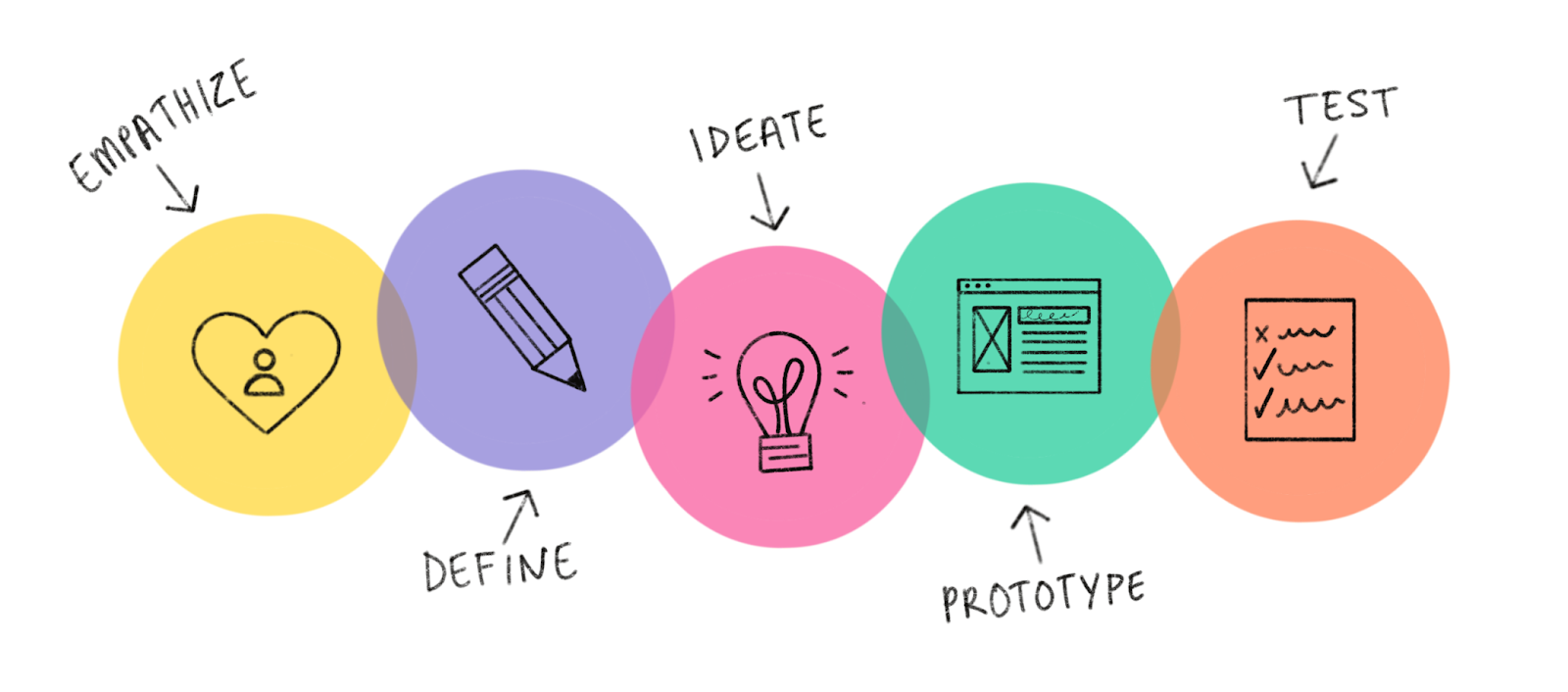
Design Thinking Process
Entry Event -
Students and teachers had a discussion about innovators and innovation. We asked the students, "What makes someone an innovator?" Then, we showed them this video to spark some ideas for innovation. After the video, they began to make connections about how we can be innovators.
Next, we took the students out into the Fuller Meadow courtyard to find problems with learning in different areas.
Students explored and investigated the Fuller Meadow courtyard for whole class learning, listening to nature, and finding something human made and something made in nature. Click HERE for the drawing sheet.
Listing Problems in our Courtyard
Using their drawings from the previous day, students met with other students in the class to share what they found in the courtyard.
We created a slideshow to ask the students to identify the problems in the different areas of the courtyard. Click HERE for the slideshow.
After more discussions about what innovators do, we explored our courtyard from several different angles. Ms. Clemenzi gave each student a birds-eye view of our courtyard from Google Maps. Students labeled each area of our courtyard and shared how they would improve the areas. Each class chose an area that they would like to reimagine. Students were given a sheet to draw their ideas for changing the area. Click the links below to see the drawing sheet.
Student generated questions and research - Hearing from the experts
Former Middleton teacher, senior volunteer and gardening extraordinaire, Mary Pelrine, shared her expertise in gardening with our students. She shared pictures and information about her own home garden as well as the Fuller Meadow garden. Innovation teacher Susan O'Neill shared her knowledge of animal habitats and needs in our New England natural environment. The students had the opportunity to ask questions and do some more research about ponds, habitats and learning space needs. Click HERE for gardening slideshow.
Designing Plans - Ideate
Students will work in their groups to draw their plans. They will focus on the following areas -
Seating
Paths
Entryways
Teaching area
Safety
What can we learn in this area?
Building- Prototype
Once the students finalized their drawings, it was time to build their prototype. Students worked in groups to create their learning space. Some classes created a large scale model on a board for their area, and some groups created a prototype for learning habitats and learning spaces.
Mrs. Moss' class- Whole class learning space
Mrs. Thomson's class - Science Center
Mrs. Balfe's class - Zen Zone
Mrs. Higgins' class - Garden
Mrs. Scharffenberg's class - Outdoor Learning Spaces
Ms. Foden's class - Pond
Ms. Teixeira's Class - Litter control
Presentations
A big part of a project based lesson is to have input from experts and receive authentic feedback. We were so lucky to have Mr. Sam, Mrs. Nicholls, Mrs. Pelrine, Mrs. Marshall, Mrs. Balfe, and the Middleton School Committee to help us.
Presenting to the Middleton School Committee
Some students from the first grade had the opportunity to present to members of the school committee as well as parents and Middleton principals. They did an amazing job representing their classes in presenting their projects. They were asked to share their experiences and what they liked most about the project.
Our students answered the following "Driving Question" in this Project Based Lesson -
How can we as innovators reimagine learning spaces in the Fuller Meadow Courtyard?
Project Based Learning (PBL) is an instructional
methodology that encourages students to learn and apply knowledge and skills
through an engaging experience. PBL presents opportunities for deeper learning
in-context and for the development of important skills tied to college and
career readiness. (Source)
Next Generation Science and Engineering
Standards
1.K-2-ETS1-1. Ask
questions, make observations, and gather information about a situation people
want tochange that can be solved by developing or improving an object or
tool.
1.K-2-ETS1-2. Generate
multiple solutions to a design problem and make a drawing (plan) to represent