Friday, March 17, 2017

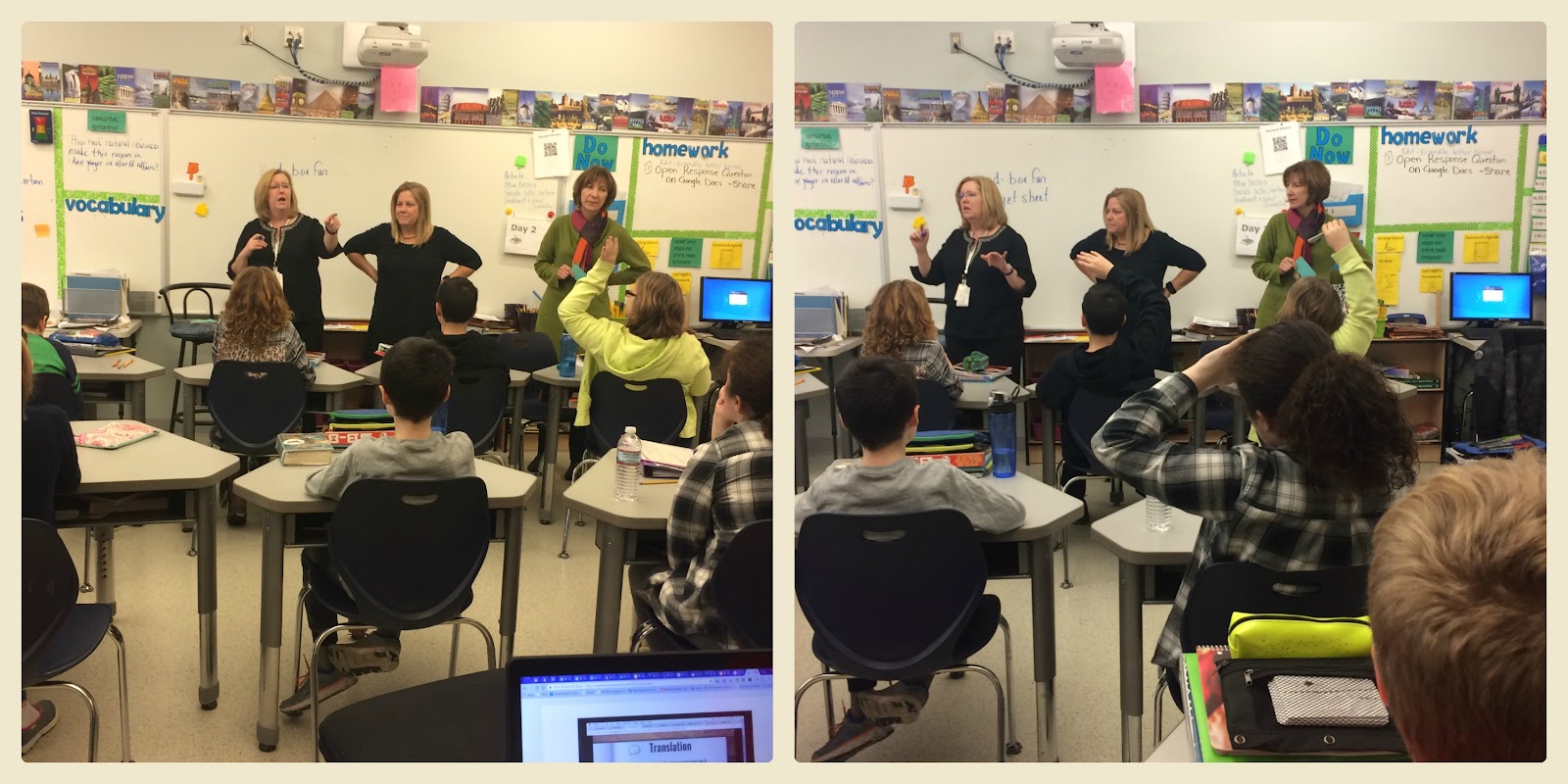
Digital Safety at Fuller Meadow

Children are spending time on the Internet at younger and younger ages.  It is important to teach them how to stay safe online and understand how to use the Internet.  At Fuller Meadow, students learn the basics of computers and how to use them to create and learn.  As children visit the online world, they need knowledge of how to do that safely, securely, and responsibly.

There are several programs that we use at Fuller Meadow.  Common Sense Media and Netsmartz are two excellent resources.

This week, students in Kindergarten, 1st and 2nd grades had the opportunity to learn about Internet safety and had fun answering questions - game show style.


Essential Questions

What is a ‘digital citizen’?
How is being a citizen of the Internet the same/different than my home town?
What are the implications of digital citizenship in today’s world?


The objectives of this lesson are:

Understand that computers can be used to visit far-away places and learn new things.
Understand that staying safe online is similar to staying safe in the real world.
Describe how to travel safely on the Internet.

We watched "Router's Birthday Surprise" from Netsmatz Kids to help us learn about Internet safety and "netiquette".


Thank you Jacqui Murray, Ask a Tech Teacher for your resources for this lesson.

Visit videos that teach online safety (click the link or Google the name).


Massachusetts Digital Literacy and Computer Science Standards

K-2.CAS.a.4 Explain that a password helps protect the privacy of information.
K-2.CAS.a.5 Identify safe and unsafe examples of online communications.
K-2.CAS.a.6 Explain why we keep personal information (e.g., name, location, phone number, home address) private.
K-2.CAS.a.7 Identify which personal information (e.g., user name or real name, school name or home address) should and should not be shared online and with whom.
K-2.CAS.a.8 Explain why it is necessary to report inappropriate electronic content or contact.

Thursday, March 16, 2017

Current Events Around the World

Students in Mrs. Bentley's 6th grade Social Studies class have been researching countries in the Middle East.  They were given the task of researching events that are currently happening in these countries.  Students used several internet resources along with articles from Time For Kids magazine to find out their information.

The students used Google Docs to write a summary and their opinion about the event.  Then, they were charged with being a reporter from their country to report on the news.

Using Green Screen by Do Ink app, students reported on their event.  They found an image to match their story.  Then, we used the app iMovie to make it into one video.

Watch their videos and learn about what is currently happening around the world.


Massachusetts Standards for Grade 6 Social Studies and Writing

Western Asia (The Middle East)
WA.1  and WA. 2 Locate the Middle Eastern countries on a world map.
WA. 3 Explain how the five themes of geography and how they have influenced settlement and the economies of major Middle Eastern countries.
W. 6.6  Use technology, including the Internet, to produce and publish writing as well as to interact and collaborate with others.
SL. 6.5 Include multimedia components (e.g., graphics, images, music, sound) and visual displays in presentations to clarify information.


Saturday, March 11, 2017

Learning about Cells with a little help from Moby

Students in Mrs. Butler's science class have been learning about the functions of a cell and cell organelles.  To make the cell come to life, students created a life-size model of an animal cell where students were the organelles.

To start the lesson, students watched BrainPop video, "Cell Structures."  They took the Quiz and knew every answer.


Next, each student was assigned an organelle and acted out the function of it.  After two minutes of acting, they sat around the room and debriefed about their acting.  Other students had the opportunity to give advice to each other on how to improve their performance. Then, they re-created the live cell.


Students had a chance to use BrainPop's new feature, "Make-a-Movie" to create their own video for "Cell Structures."

Source


After all of the movies were made, we had a screening to watch them.  The students had so much fun and learned a lot!


Thanks to Moby and BrainPop for bringing FUN into the classroom!


Next Generation Science Standards - 6th Grade - Cells

SC.6.L.14.2
Investigate and explain the components of the scientific theory of cells (cell theory); all organisms are composed of cells (single-celled or multi-cellular), all cells come from pre-existing cells, and cells are the basic unit of life.
SC.6.L.14.3
Recognize and explore how cells of all organisms undergo similar processes to maintain homeostasis, including extracting energy from food, getting rid of waste, and reproducing..
SC.6.L.14.4
Compare and contrast the structure and function of major organelles of plant and animal cells.  Including cell wall, cell membrane, nucleus, cytoplasm, chloroplasts, mitochondria, and vacuoles.


Wednesday, March 1, 2017

Where's Moby?

Being a BrainPop Certified Teacher has proven to be so much fun!  The company sends me fun items and activities to share with my students.  BrainPop sent us a Moby bobblehead to explore all of the fun lessons in our classrooms.  They are running a #WheresMoby campaign on Twitter and Google+ to track Moby's adventures.


Moby's first adventure was with 4th graders in Mrs. Jones' class.  They are studying the Solar System and used BrainPop videos and activities to learn all about the planets.  Moby worked with them as they explored research topics for their projects.


Stay tuned for Moby's upcoming adventures!

Tuesday, February 28, 2017

Read Across America

Students and staff at Fuller Meadow kicked off Read Across America today with some special guests - Cat in the Hat and Thing 1 & Thing 2.  Our ELA/SS curriculum specialist, Melissa Bettencourt, led the assembly with an introduction of Read Across America and had the students take an oath to read everyday.  They listened to Dr. Suess' book, The Cat in the Hat and laughed as Thing 1 and Thing 2 were making a mess of everything.


Just a taste of what is reading and discussions today!


Keep your eyes open this month for more activities for Read Across America!


Saturday, January 28, 2017

Saving Syria - Innovation and Design Project

I worked with 6th grade Social Studies teacher, Jeanne Bentley, ELA and Social Studies Curriculum Coordinator, Melissa Bettencourt, and Tri-Town Director of Digital Learning, Steve Guditus to develop a unit and project that incorporated the innovation and the design process while studying the Mideast.  This project is "Saving Syria".

Design Scenario
Assignment to students -
You and your classmates are working for a relief agency called Saving Syria. The relief organization is going to build a village to house people escaping the war in Syria. Your team will be competing with other teams to research, design, and build better housing for the 12 ½  million Syrians looking to leave Syria and immigrate to Lebanon.

Introduction
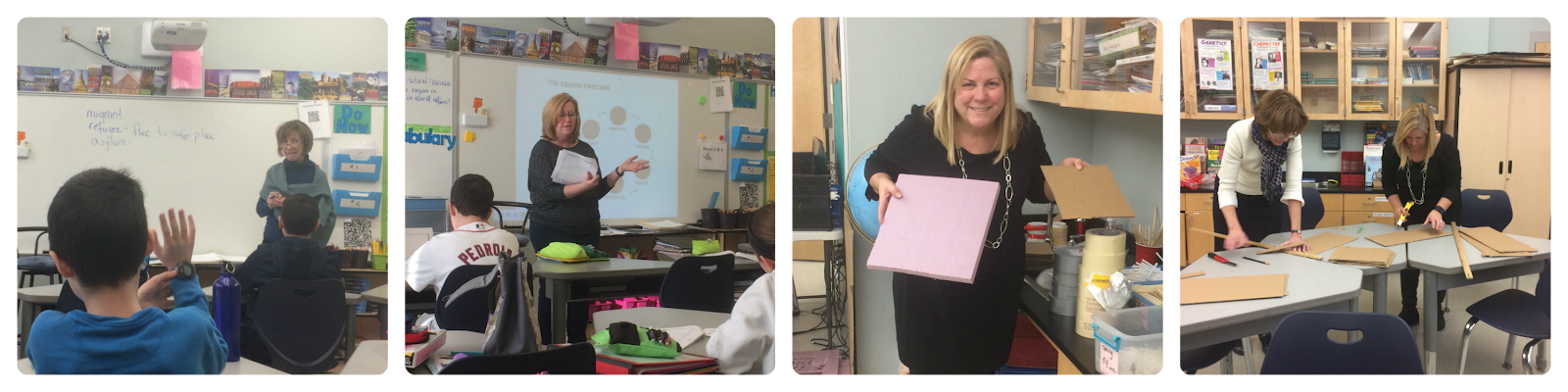
Students were introduced to the project, “Saving Syria” during their Social Studies unit of study of the Middle East.  They received background knowledge of religions and politics in the Middle East.  They received several articles that introduced and explained the crisis in Syria.  Mrs. Bentley introduced key vocabulary to understand the project - Refuge, Refugee, Asylum, displaced, persecution, oppression, etc.  They watched 2 videos about a girl and her experiences in Syria.
Video 1


Video 2

Teachers Introduce Project
Teachers.png


Research and Brainstorm
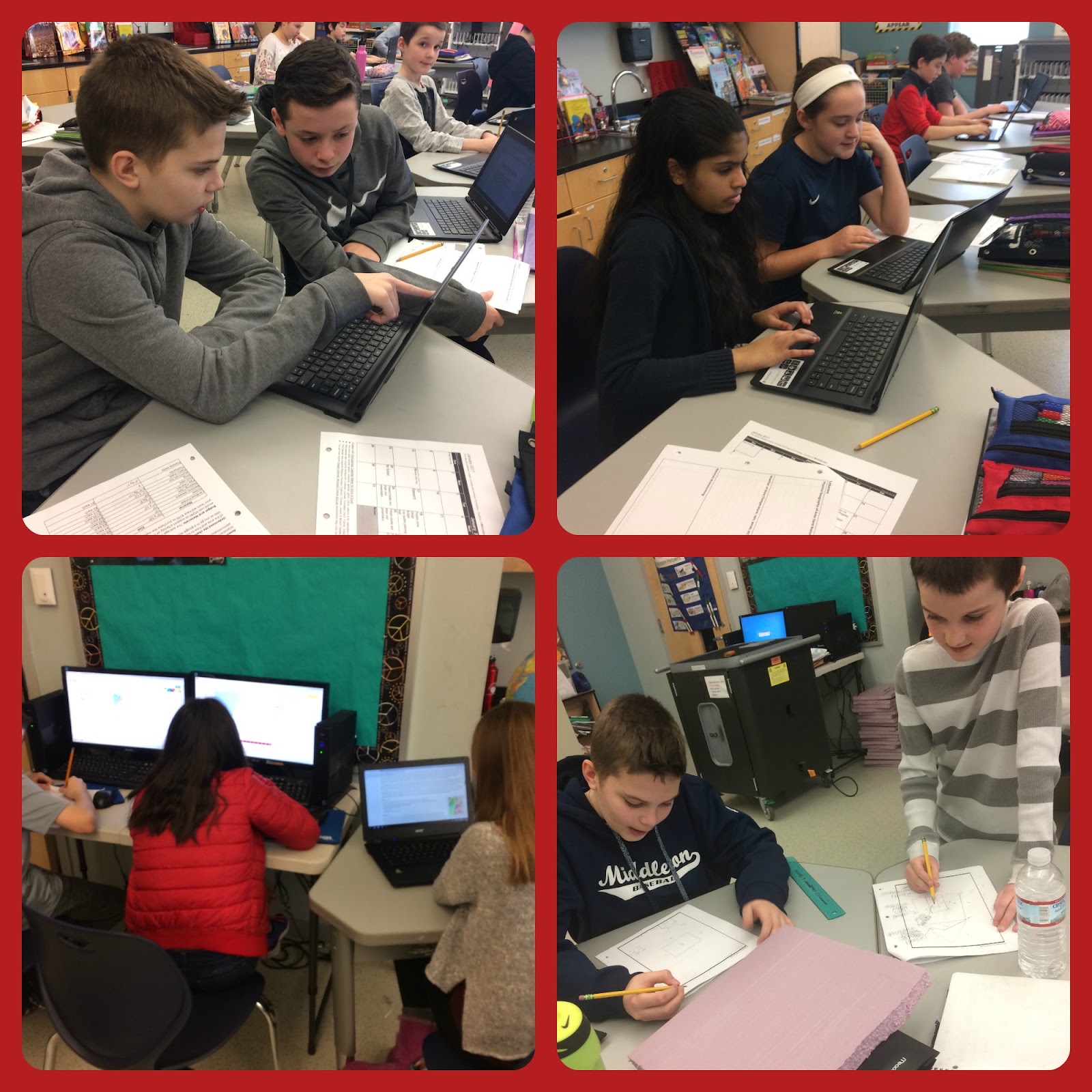
Students worked in small groups and researched the geographical features and climate of  Lebanon to find out  how to build temporary shelters. They cited their research sites.

Research and Design.jpg


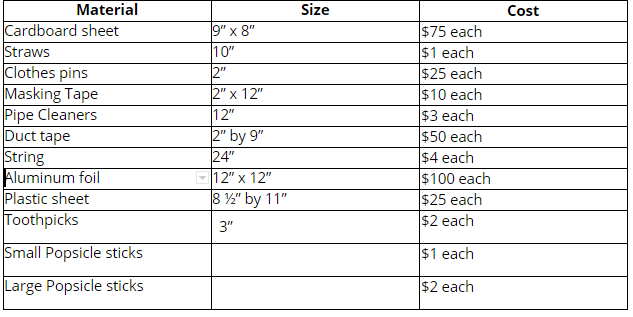
Budget and Materials

The average cost to support a refugee for a year is $1057 so it would cost $5285 to support a family of 5. Saving Syria is looking to build a better shelter so your team will have $795 to purchase the materials for building.


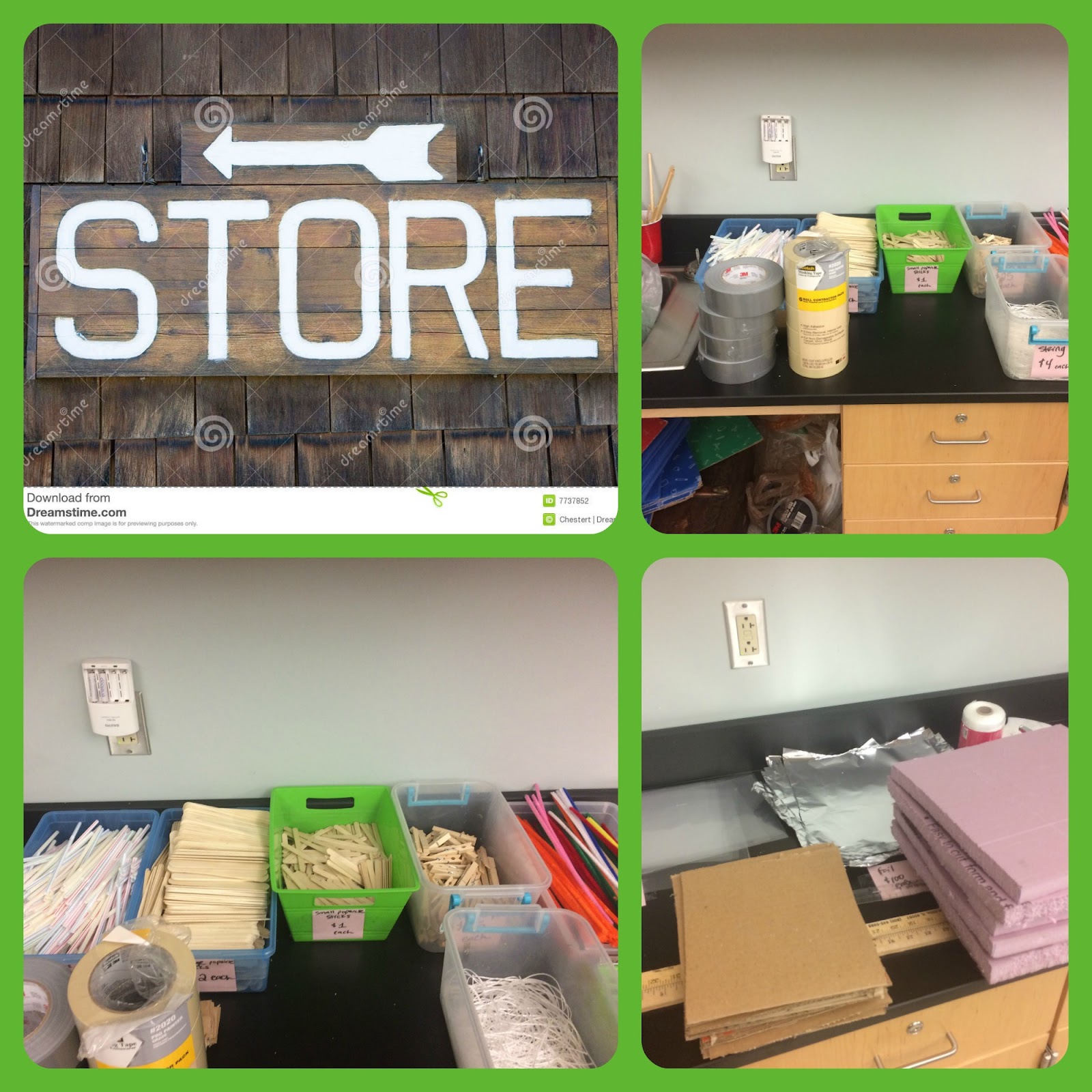
Store Materials and Supplies
Students were able to purchase supplies each day to build their structure. They had $795 to spend.

Store.jpg

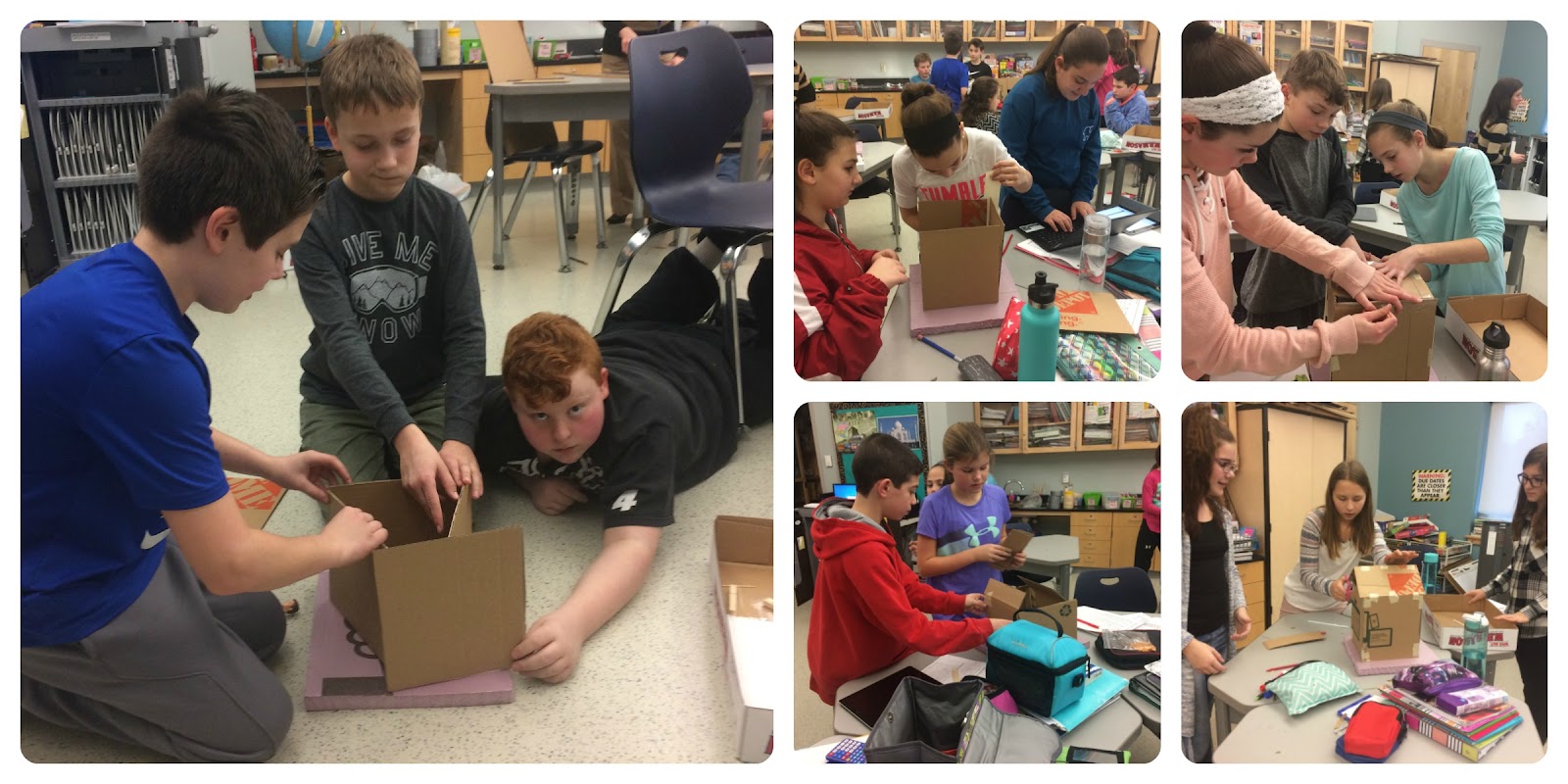
Building
Shelter requirements: Your team will need to build a shelter that can house 5 people (2 adults and 3 children). You will be given a 12” by 12” plot of land that your shelter will sit on. The shelter needs to withstand rain, wind, heat of the day and cold nights of that area. When all the shelters are built we will also assemble them together into a village to see how your shelter will work within the village itself.

Shelter Expectations:
How will you keep your shelter warm at night and cool in the day?
How will your shelter provide protection from the rain?
How sturdy is your shelter against high winds?
How does your shelter interact with the environment?
How permanent will your shelter be?

Building.jpg

Presentation
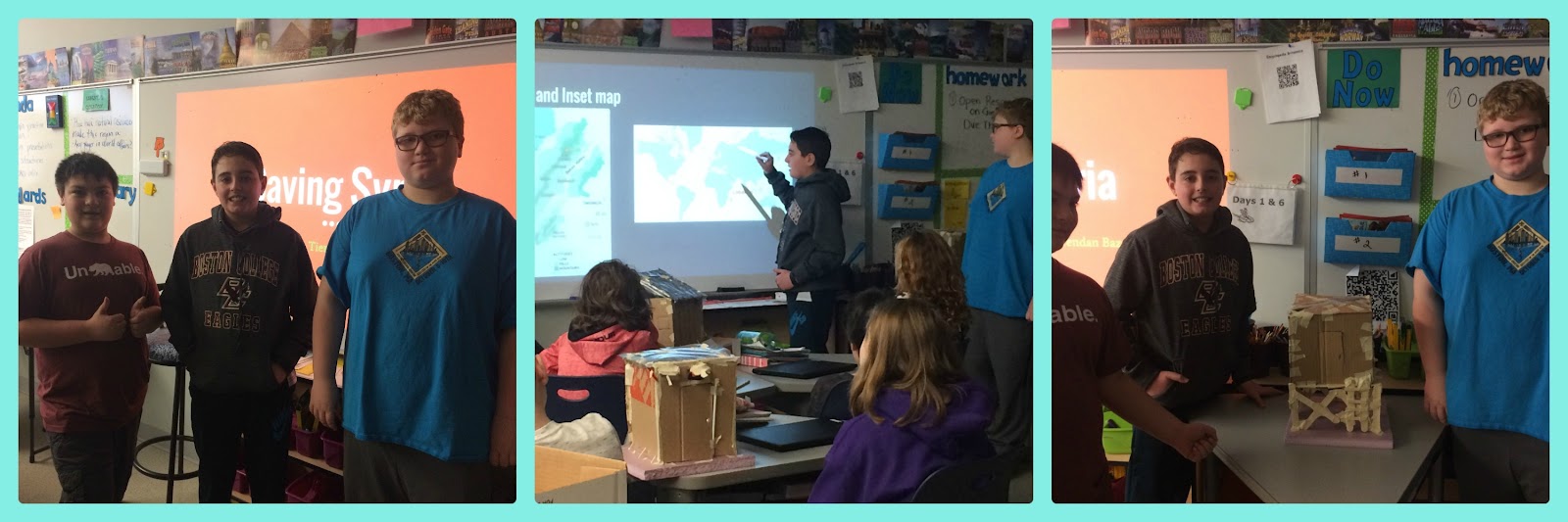
At the end of the project, the teams presented their shelter  with the Saving Syria administrators and their classmates.

Throughout the process they captured their progress and created a presentation. A Google Slideshow was created by each group and presented to the class.

Presentation.jpg


Testing the Structure
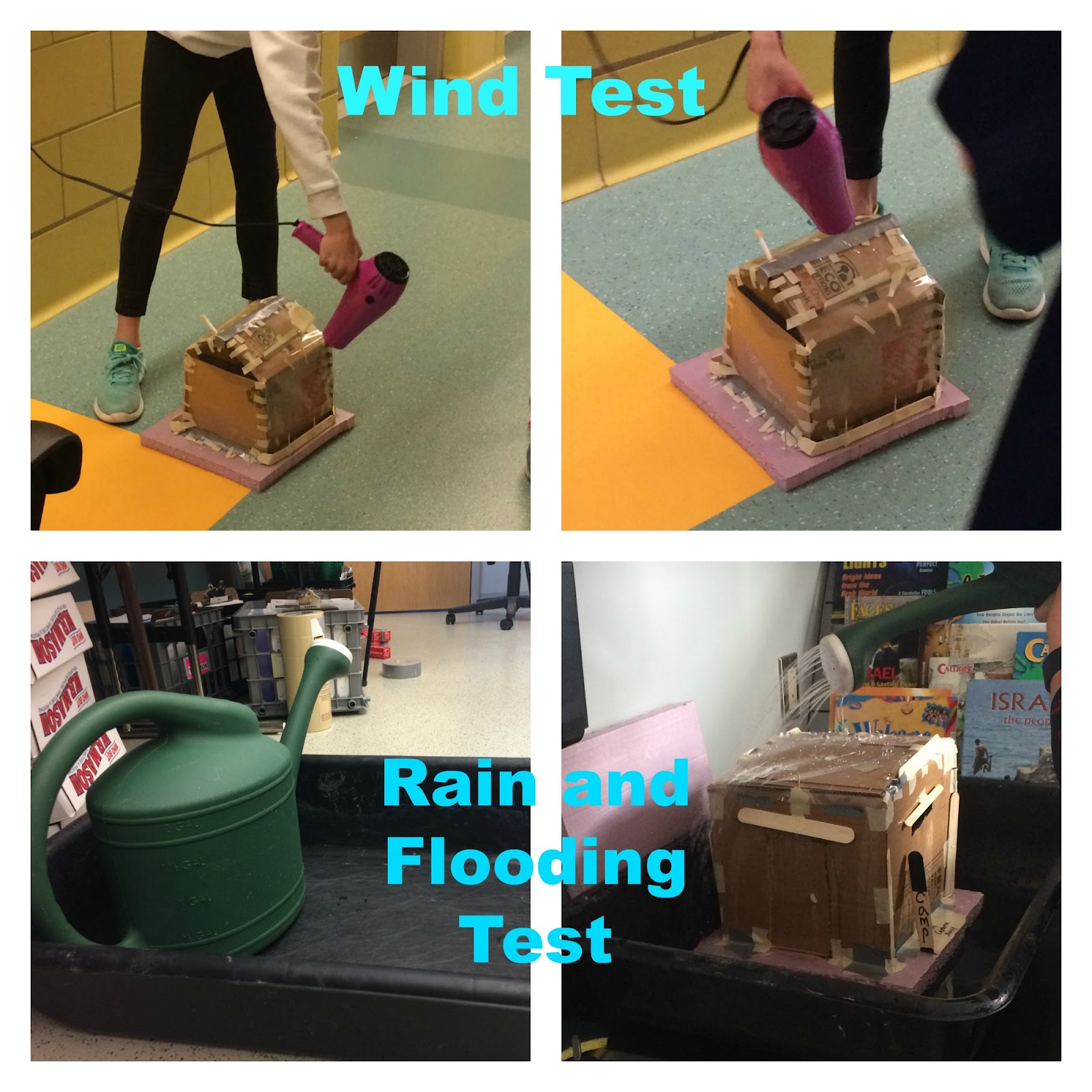
Each structure was tested for weather conditions that they would endure in Lebanon.
Wind - Hairdryer for 1 minute
Rain and Flooding - Water from watering can for 30 seconds
Test.jpg


Students read and discussed an article in Junior Scholastic magazine, Nov. 2, 2015, “Building a Better Life.”  They learned how the company Ikea is helping to build a better shelter for Syrian refugees.

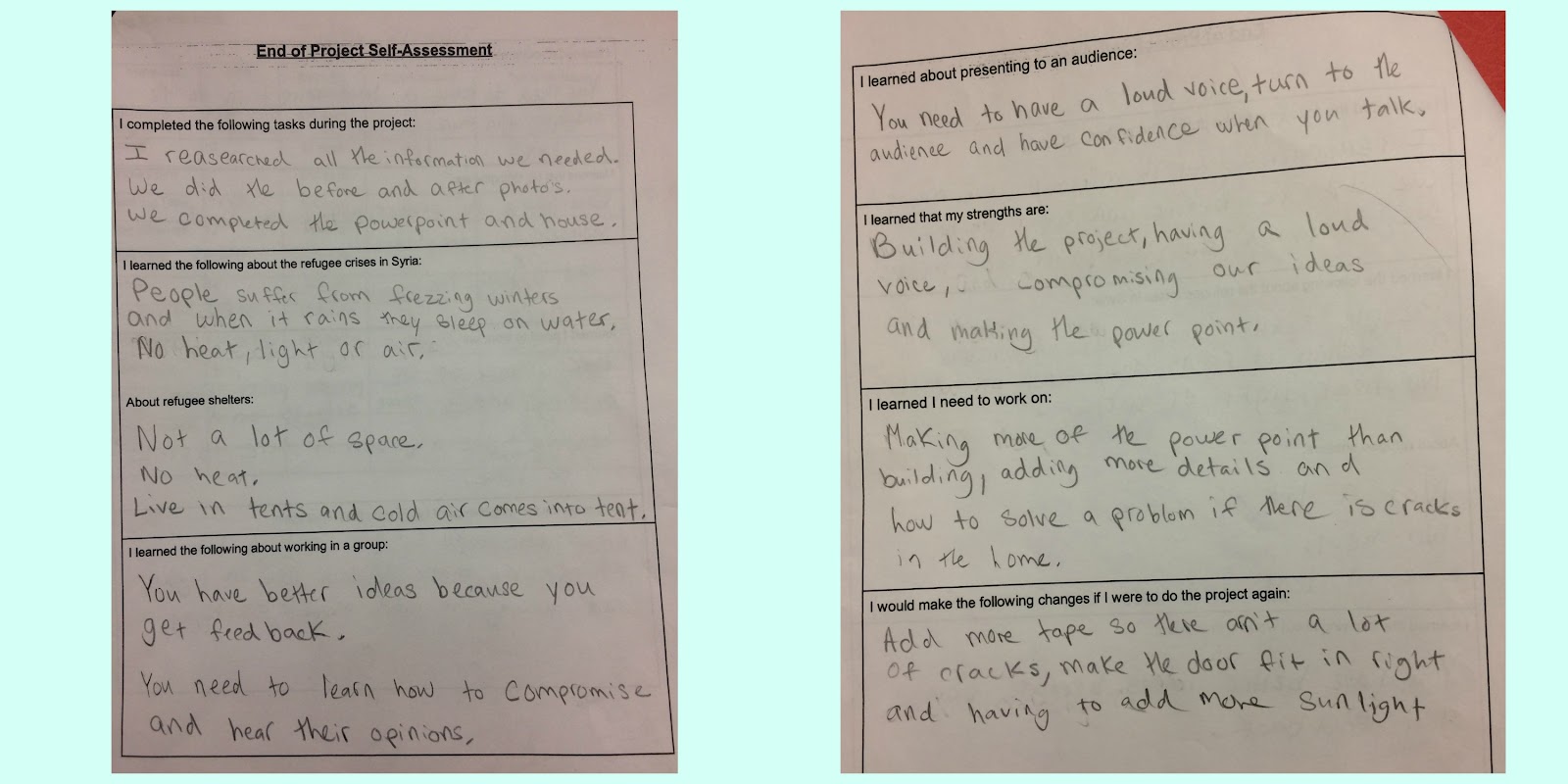
Reflection
What was the strength of your shelter?
What was the weakness of you shelter?
What problem did your shelter resolve really well?
What shelter shape is the strongest?
What were some successful strategies more stable?
What designs in your shelter would make it more useful in an emergency?
Did you shelter create an unintentional problem?
Self assessment.jpg


Teachers work with students for reflection on the project


Reflection.jpg

Thanks to our PTO for supporting our Innovation and Design curriculum.

Thursday, January 19, 2017

Google Read & Write


Students in Middleton have been introduced to the Google Chrome app, "Google Read & Write".  Read & Write supports student literacy and writing through technology.  There are many features in this program that benefit students by improving reading and writing confidence.

In computer class, students in 3rd - 6th grade were introduced to the highlighting tool.  This tool allows students to highlight text, either in a Google Document or on a website, and capture those highlights into a new Google Doc.  The information that is captured is also cited.  This feature is great for research.  While showing students this feature, we were able to have another discussion about plagiarism.                                  

Google Read & Write Toolbar


Features include:
  • Read Aloud with dual-color highlighting
  • Translator
  • Talking and Picture Dictionaries
  • Fact Finder
  • Study Skills highlighters and Collect highlights
  • Vocabulary List Builder to create a list of highlighted words with text definitions and images.
  • Annotation tools (PDF and ePub)
  • Navigation tools (PDF and ePub)